
BeatUp Engine · Web Edition v1.2.0
BeatUp Engine, now in your browser.
The BeatUp Engine ported to a static website: play charts, edit them and run the Auditor Mode without installing anything.
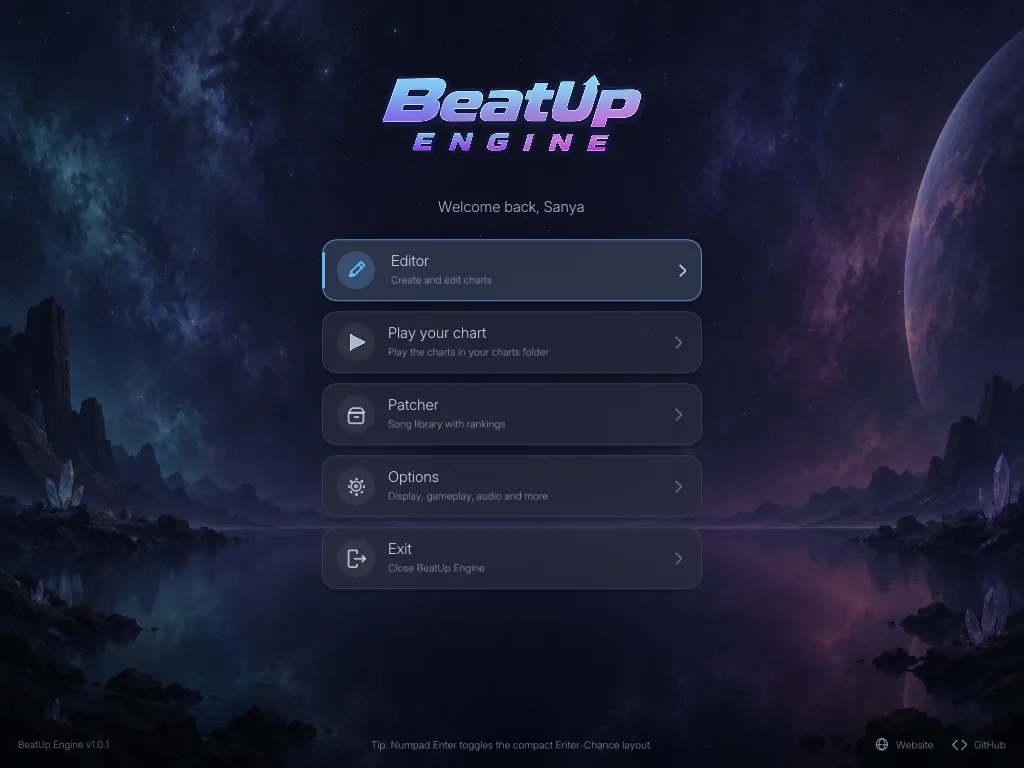
Main menu of the desktop version. The Web Edition has the same layout.
- Platform
- Web browser
- Version
- v1.2.0
- Hosting
- Cloudflare Pages
- Input
- Keyboard (numpad or laptop keys)
01 · Live preview
Run it right here.
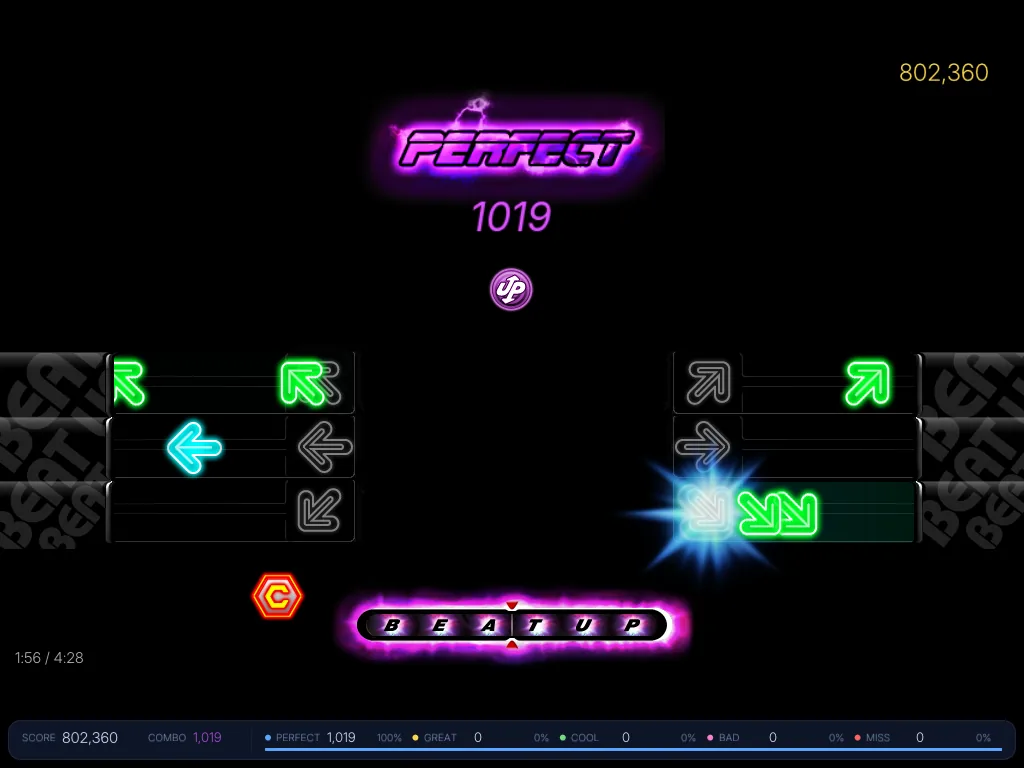
The Web Edition loads inside this page only after you press the button. For the full window and fullscreen mode, open it in its own tab.
02 · Features
What you can do in it.
Playing, charting, converting and reviewing, all from one page.
- 01
Play your chart
Pick a built-in chart or drop in a .bu file. Choose a Chance mode such as Rapid, Vanishing, Wave, Inverted, Speed Up or Halfway, turn on Mirror Keys or AutoPlay, and see your rank at the end.
- 02
Chart editor
Edit against the waveform in Game, Chart or Split view. Undo and redo, copy and paste, mirror and randomize arrows, bookmarks, snap grid and playback speed from 50% to 150%.
- 03
Import and export
Import .slk and .ssc charts. Export .slk, verified .slk or .ssc, or save a .bu project, optionally encrypted with the music embedded.
- 04
Auditor Mode
Review, verify and document a chart. Start an audit baseline while you work and export the result as a CSV file.
- 05
Chart assistant
Detects the tempo of your song and offers candidates to choose from. It can place notes automatically on the full mix, the vocals or the instruments, and a pattern generator adds alternating, stair or random patterns.
- 06
Themes and options
Twelve colour themes, editor backgrounds including your own image, volume and offset settings, and keybinds. Options save automatically.
03 · Quick start
From song to chart in four steps.
The order matters: the music always comes first.
- 01
Open the Editor
Launch the Web Edition and choose Editor in the main menu.
- 02
Load your music first
Open an .ogg, .wav or .mp3 file. The audio dialog detects the BPM and clears any chart that was loaded before.
- 03
Import a chart
Optionally import an .slk or .ssc chart onto the loaded song, or start charting from scratch.
- 04
Chart, play and save
Place notes with numpad 7/4/1 and 9/6/3, or Q/A/Z and E/D/C on a laptop keyboard. Then export a chart or save a .bu project.
04 · Desktop version
Prefer the Windows program?
BeatUp Engine v1.2 is also available as an installer and a portable ZIP, including the patcher. The desktop page has the downloads, the release notes and the manual.